Skip to content
CampFoundry

My Day

Start with what matters most today.

My Day brings scheduled work, guest needs, active issues and unfinished work into one focused view—so each employee knows what matters now.

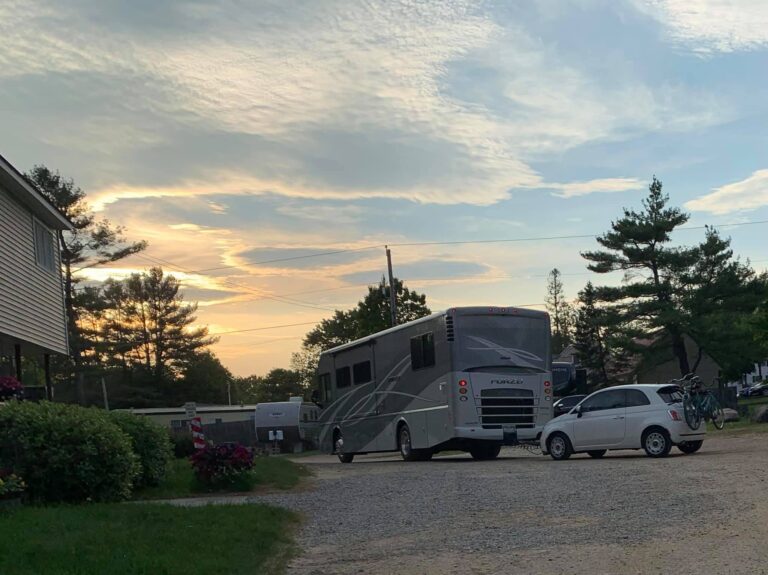
Campground sites at the start of an operating day
7:00 AM · MORNING SHIFT The property is waking up. The work already exists.
Pool opening 3 site turns Bathhouse check 1 carryover repair

7:00 AM Morning shift

Your day, assembled.

Scheduled work, arrivals and carryover work come together in one place. The question becomes simple: what matters now?

Scheduled work · active operating work · carryover work · one day.

01
TIME-SENSITIVE

Pool opening inspection

Opening check and readiness

02
ARRIVAL-DRIVEN

Sites 18 · 24 · 42

Turn and verify for incoming guests

03
ROUTINE

Bathhouse inspection

Scheduled operating check

04
PLANNED

Repair picnic table · Site 31

Planned maintenance

9:15 AM Priorities change

Then the campground changes the plan.

Site 42 has an electrical problem and a 2:00 PM check-in. A bathhouse request comes in too. My Day moves the urgent work forward without losing the rest.

NEW OPERATING CONDITION Site 42 · electrical issue Found during site turn · check-in 2:00 PM
GUEST-ORIGINATED Bathhouse issue Place context can travel with the request
NEXT
GUEST REQUEST

Bathhouse guest issue

Needs staff response

TODAY
STILL VISIBLE

Remaining site turns and checks

Continue as higher-priority work allows

LATER
PLANNED

Site 31 picnic table

Lower priority, not forgotten

Guest requests can enter the workday with place context attached—without exposing internal records.

My Day IN THE FIELD

My Day, in the field.

See what matters now. Open the work. Add what happened. Keep priorities current. Hand unfinished work to the next shift without losing context.
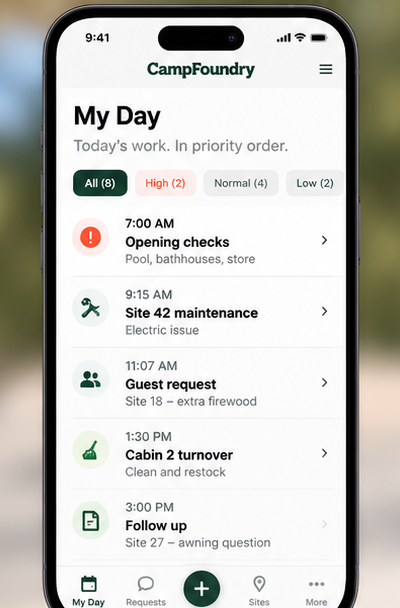
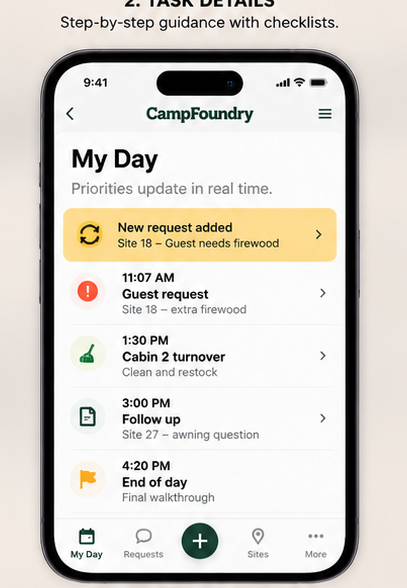
My Day mobile view showing today's priorities
Today’s prioritiesStart with the work that matters now.
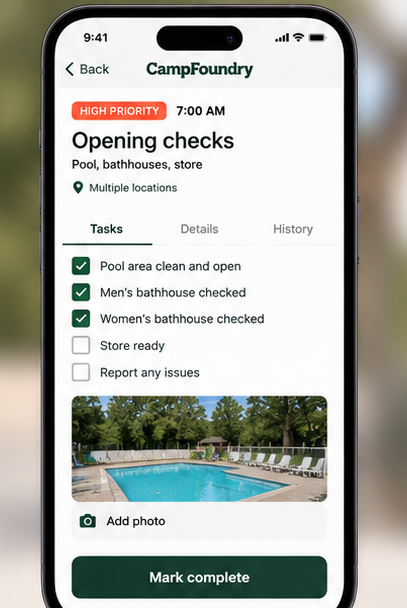
My Day mobile work detail view
Work detailsInstructions and context stay with the job.
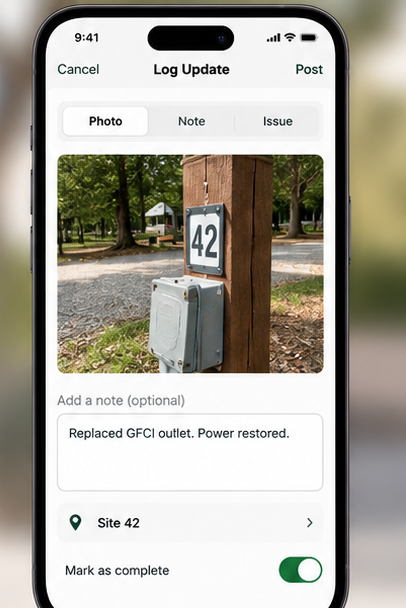
My Day mobile field update view with photo and note
Field updatesAdd photos, notes and what changed.
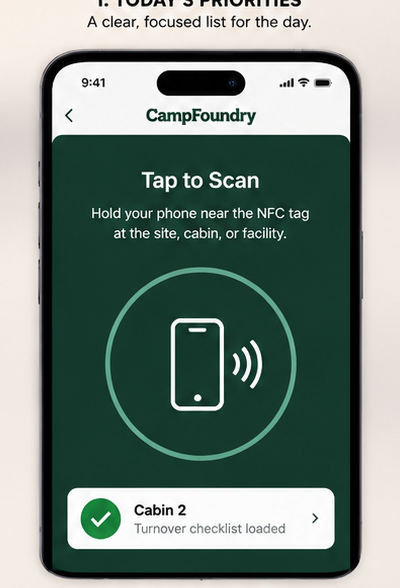
My Day mobile view using NFC place context
Place contextBring the right work up at the site, cabin or facility.
My Day mobile view showing changing work priorities
Priorities changeNew work moves forward without losing the rest.
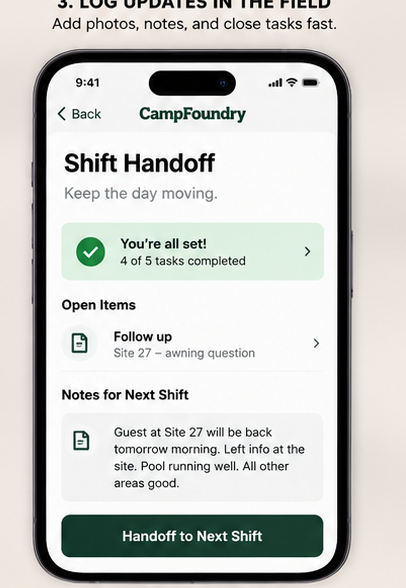
My Day mobile shift handoff view
Shift handoffThe next worker starts where the last one left off.

3:00 PM Shift change

Change the worker without losing the work.

The office moved the arriving guest to a ready site at 11:30 AM, ahead of the 2:00 PM check-in. The shift ends before the repair does. Site 42 moves to the next employee with its context intact.

MORNING SHIFT

Work already completed

  • Issue confirmed
  • Pedestal inspected
  • Problem identified
  • Repair started
THE WORK CARRIES FORWARD

Site 42 · Electrical

Still unavailable
Where
Site 42
What happened
Electrical problem confirmed
What has been done
Diagnosis and partial repair
What remains
Finish repair and test service
Complete when
Site is verified ready
AFTERNOON SHIFT

Continue from here

  • Continue repair
  • Test service
  • Verify readiness
  • Close the work

Every shift starts where the last one left off.

4:20 PM Verified complete

Done means nobody has to wonder what happened.

Site 42 is repaired and verified ready. The worker changed. The operational thread did not.

SITE 42 Verified ready Repair completed · service tested · readiness confirmed
  1. Found
  2. Prioritized
  3. Worked
  4. Handed off
  5. Verified

CONNECTED TO CAMPFOUNDRY

My Day is where the operating system becomes the workday.

Five management workspaces support the operation. My Day brings the work to the frontline.

RESPONDCommand
UNDERSTAND THE PROPERTYAtlas
INSPECT & VERIFYRounds
COMMUNICATEConnect
PRESERVE THE RECORDLedger
BRING THE OPERATION TO THE FRONTLINE

My Day

What should this employee focus on now?

My Day · CAMPFOUNDRY

The campground keeps moving.
So does the work.

Keep priorities visible. Carry context across shifts. Know when the work is actually done.

Talk to us about your park